Every visitor, every booking, every sale — in one place
NugaCRM runs the whole showroom day: leads from Facebook and your website, the schedule of beds, mats and devices, QR check-in, passes, sales with instalments and the Friday Nuga Euro auction. Your team opens it on any computer or phone.
kinds of pass: abonament, visit pass, procedure pass
1 server
per showroom — data is never shared
0 apps
to install — it works in the browser
The showroom journey
From the first ad to the device in their home
NugaCRM follows each person along the path your showroom already works by — and shows you where people drop off.
1
Lead
Enquiries from Facebook and your website form land in one list, every 15 minutes.
2
Booking
A place on the schedule, or a chair at the group presentation, booked straight from the lead.
3
Visit
The QR card is scanned at reception and the right pass is spent automatically.
4
Pass
Free programme, abonament, visit pass or procedure pass — each tracked to the day.
5
Purchase
A serial-numbered device, a deposit, instalments and every payment due.
6
Referral
Who brought whom, and the Nuga Euro they earned for it.
What it does
Built around how a Nuga Best showroom actually works
The schedule, presentations, the free programme, passes and device sales — not a generic CRM bent into shape.
Reception
Check-in in a second
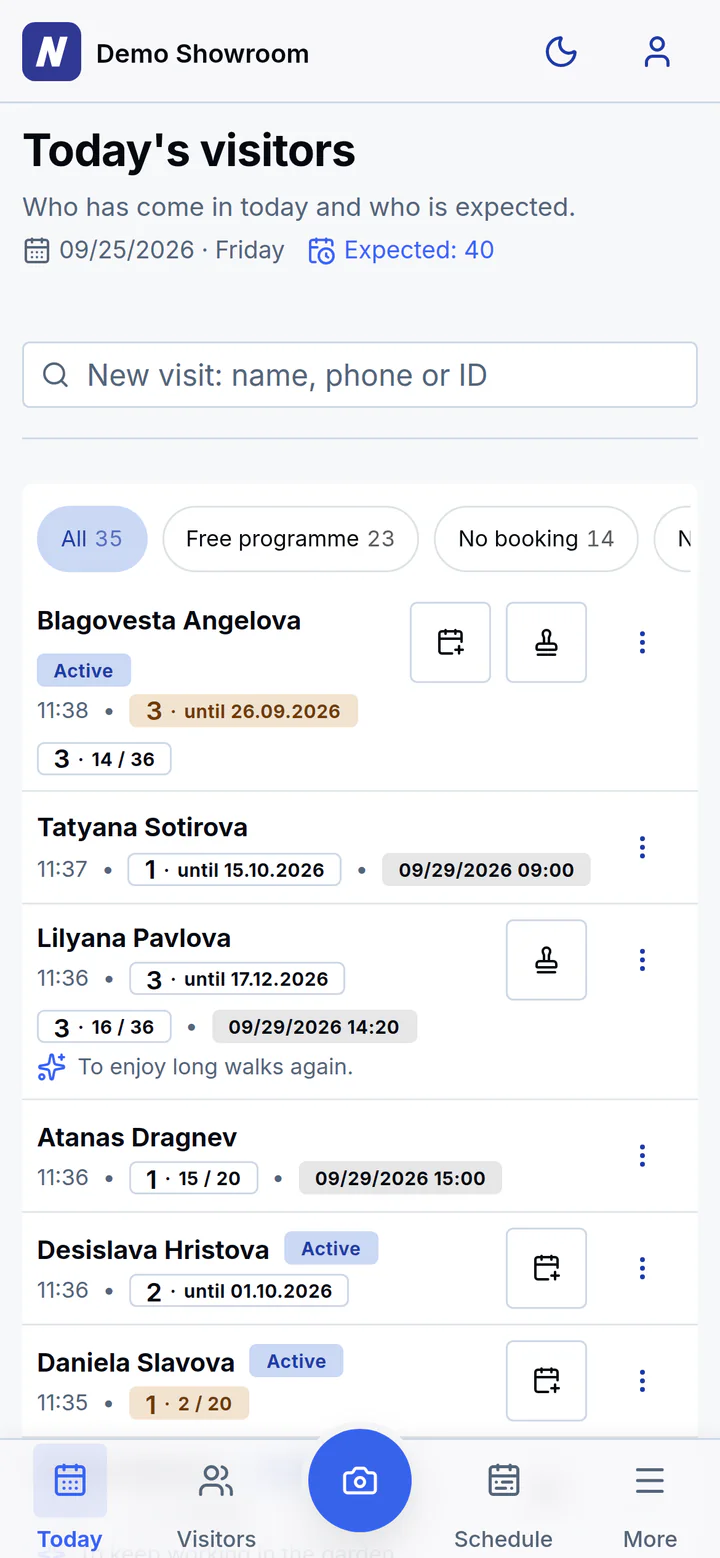
Scan the visitor’s QR card with any phone camera: the visit is recorded and the right pass is spent. Someone new is registered and checked in in the same step.
The camera keeps scanning — one card after another
Birthdays, next booking and passes about to run out, at a glance
Filters for the free programme, no booking and needs attention
A warning when a phone number is already registered
Schedule
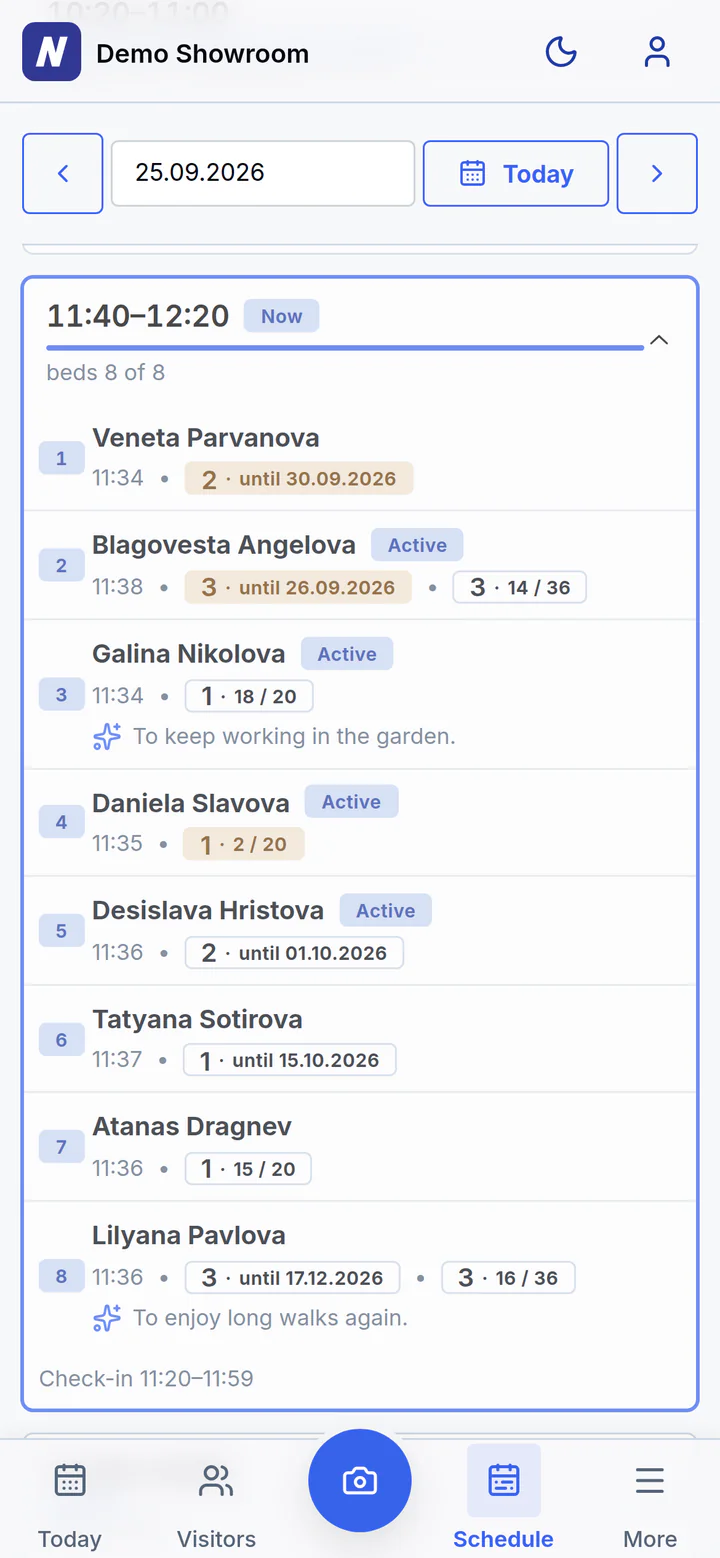
The schedule, the way your showroom runs
Every place — a bed, a mat or a device such as the NM5000P — against every time slot, with the day’s occupancy on top. Book the first free place or the one you choose, or a chair at the group presentation, and the places after it are assigned automatically.
A series of dates booked at once, skipping holidays and full days, and a view of the whole month
Guests hold a slot with a name and phone before they register
Move to another place, mark arrived or rebook; a cancellation keeps its reason and can be undone
Warns when a paying client is sent to a presentation, or a newcomer skips one
Visitors
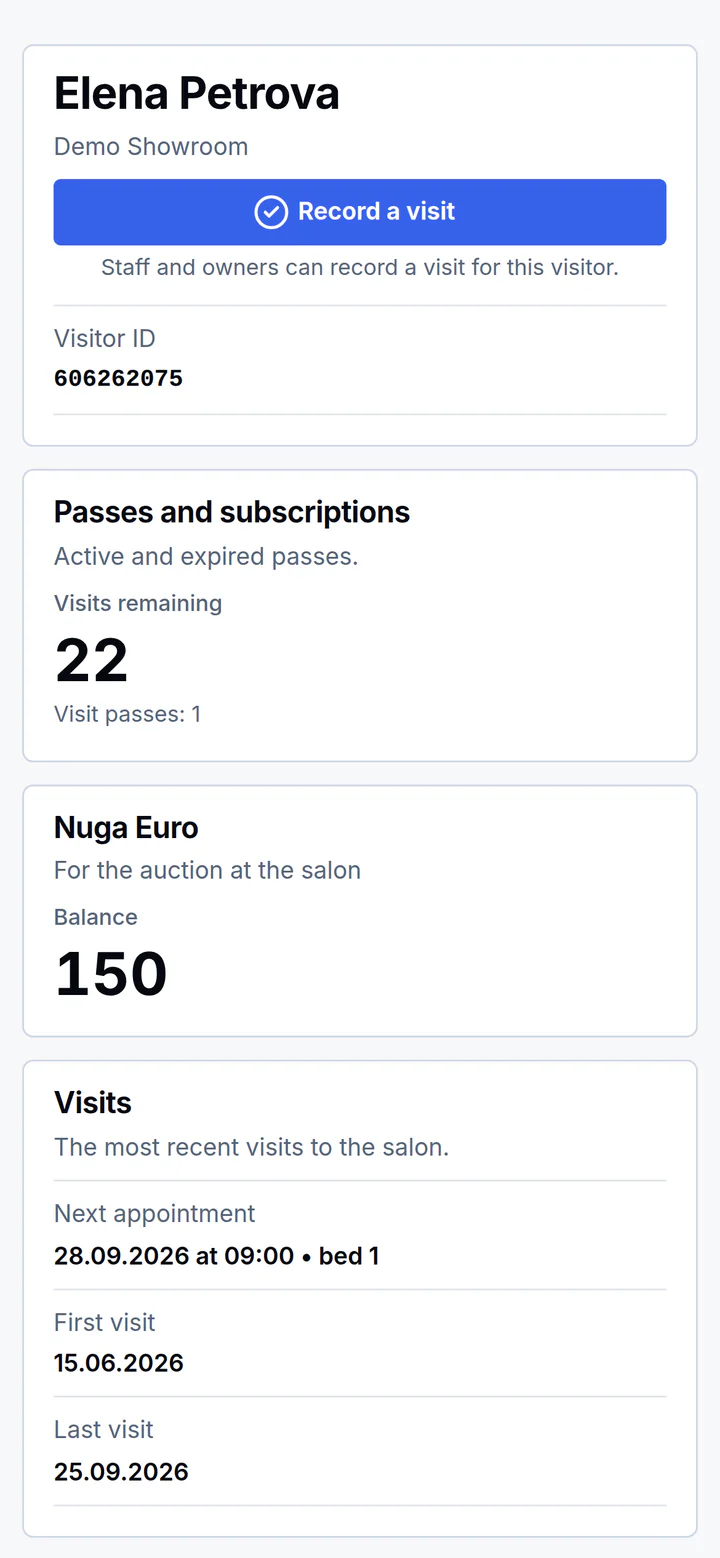
Everything about a visitor on one page
Contacts, passes, visits, purchases and what they want to buy next — and a History of who changed what, and when. One tap opens Viber, WhatsApp, Messenger or a call.
Abonament, visit pass and procedure pass side by side
Badges that tell you who is new, active, sleeping or lost
Wishes and objections: what stopped the purchase and what you offered
Referrals, gifts, team comments and signed consent documents
Leads
No lead is lost
Facebook lead ads, your website form and leads entered by hand arrive in one list. Every call ends with a next step: a call-back date, a booking or a reason.
Stages from New to Buyer, with the full history of calls
Book a place or a presentation straight from the lead
Online booking from your website into free slots
Filter by campaign and period; print a call sheet
Sales and stock
Devices, deposits and instalments under control
Every device is tracked by serial number from the goods receipt to the customer. Deposits keep a unit reserved until it is fully paid; instalments show what is due and what is overdue. A return puts the unit back in stock and the refund on the payment record.
Sold, received and outstanding for the month
Upcoming and overdue payments in one list
Stock by unit: in stock, reserved, sold, on trial
Promotions with their sales and turnover
Nuga Euro
The Friday auction runs itself
NugaCRM works out who earned Nuga Euro this week — five visits Monday to Friday, a friend’s first visit, a fully paid purchase. On Friday your team only hands them out.
Each week’s earnings calculated automatically
Every visitor’s balance, earned and spent
Results from the presentation added by hand
Nothing is deleted: a mistake is undone with a reason
Reports
Know what works — and who to call today
From the ad to the purchase: see how many leads came, booked, visited, took a pass and bought. Daily call lists show exactly who needs a call.
Lead funnel from received to bought, by source and campaign
Occupancy of the places by hour of the day
Who to call: first visit without a return, no booking, sleeping, lost
Visitors, concerns and promotions reports
On any phone
Reception fits in a pocket
NugaCRM runs in the browser and installs to the home screen like an app. The bottom bar puts the QR scanner under your thumb, and dark mode keeps the evening shift easy on the eyes.
No app store, no installation, no updates to manage
Visitors scan their own card to see their passes and Nuga Euro
A printable QR card for every visitor
Who it is for
For dealers and for showroom owners
For Nuga Best dealers
Give every showroom in your network the same proven way of working.
The same system in every showroom, from the first day
Each showroom on its own server, in its own language and currency
New versions reach every showroom outside opening hours
The same reports everywhere, so results can be compared
For showroom owners and CEOs
See your showroom as it really is — every lead, every booking, every payment.
Which sources and campaigns turn into visits and purchases
Occupancy, money received and payments outstanding
Roles for consultants and managers; export, the audit log and integrations stay with you
Daily lists that tell your team who to call
Three roles, enforced on the server
1Consultant
The daily work: visitors, visits, schedule, leads, sales and passes, the reports, promotions and campaigns — and correcting records, every correction logged.
2Manager
Everything a consultant does, plus the showroom’s settings and the consultants’ accounts.
3Owner
Everything a manager does, plus the managers’ accounts, data export and import, the audit log, the list of visitors past their retention period, switching features on and off, and the integrations.
Security and privacy
Your data stays yours
Designed for personal data from the start — because a showroom holds names, phone numbers and what people say about their health.
A server per showroom
Each showroom has its own server and database. Nothing is shared between showrooms.
Sign-in through your own server
Staff sign in only through your showroom’s own app. Repeated guesses are limited per account and per address, so a stranger cannot lock your team out.
Two-factor sign-in
Optional for each person: an authenticator app and recovery codes. Turning it on or off needs the password.
Keys kept encrypted
The Facebook and website keys and the two-factor secrets are stored encrypted.
Every change on record
A mistake is corrected, never silently erased. Each visitor’s History shows who changed what and when, and the owner has an audit log.
Nightly backups in the EU
Every night each showroom is backed up to its own storage in the EU, and the last 14 copies are kept.
Watched every minute
We check every showroom once a minute and are alerted when one stops answering. Updates are rolled out outside opening hours.
Signed consent, on file
The Agreement and the Declaration are photographed into the visitor’s profile; consent can be withdrawn.
Erased on request
When a person asks, the owner can erase them for good — health notes included — from one list of every personal field.
Retention, by hand
The owner sees who is past the period their Declaration promises, and deletes them for good by hand.
Health notes never leave
Wellbeing notes and document photos are left out of the data export.
Your data, exportable
The owner can download the showroom’s data at any time.
Getting started
From request to first check-in
Request a demo
Tell us about your showroom and we will show you NugaCRM on demo data.
Your own server
We set up a separate server and address for your showroom.
Your settings
Places, opening hours, presentations, passes, products, language and currency — set to how you work.
Your team signs in
Staff get a link and a login, and reception starts scanning.
FAQ
Questions dealers and owners ask
Which languages and currencies does the CRM work in?
The interface is in Bulgarian, English or Ukrainian, chosen per showroom. Amounts are kept in euro or in hryvnia, and local phone numbers are read in the showroom’s own country.
Do we need to install anything?
No. NugaCRM runs in the browser on computers, tablets and phones, and can be added to a phone’s home screen like an app.
Can it take leads from our Facebook ads and website?
Yes. Leads from Facebook lead forms and from your website form are imported automatically every 15 minutes, and any that were missed are picked up on the next run. Your website can also book free slots directly.
Where is our data kept?
Each showroom has its own server and database, backed up every night to storage in the EU. Nothing is shared with other showrooms, and the owner can export the data at any time.
Is it only for Nuga Best showrooms?
It is built around how Nuga Best showrooms work: the procedure schedule, group presentations, the free programme, passes and device sales.
How much does it cost?
Request a demo — we will show you the system and send you an offer for your showroom or your network.
Request a demo
See NugaCRM on your own showroom’s day
Leave your details and we will get in touch to arrange a demonstration.
A walk-through of every part of the system
Answers for your showroom or your dealer network
No obligation
Thank you!
Your request has been received. We will get in touch shortly.